
Duplicate File Finder Free
Reclaim your drive space with speed and precision. This powerful utility scans your local drives using advanced, multi-threaded hashing algorithms to ensure lightning-fast and accurate detection of identical files — photos, documents, videos, and more.
Running on thousands of active devices across the US, Europe, and Asia.
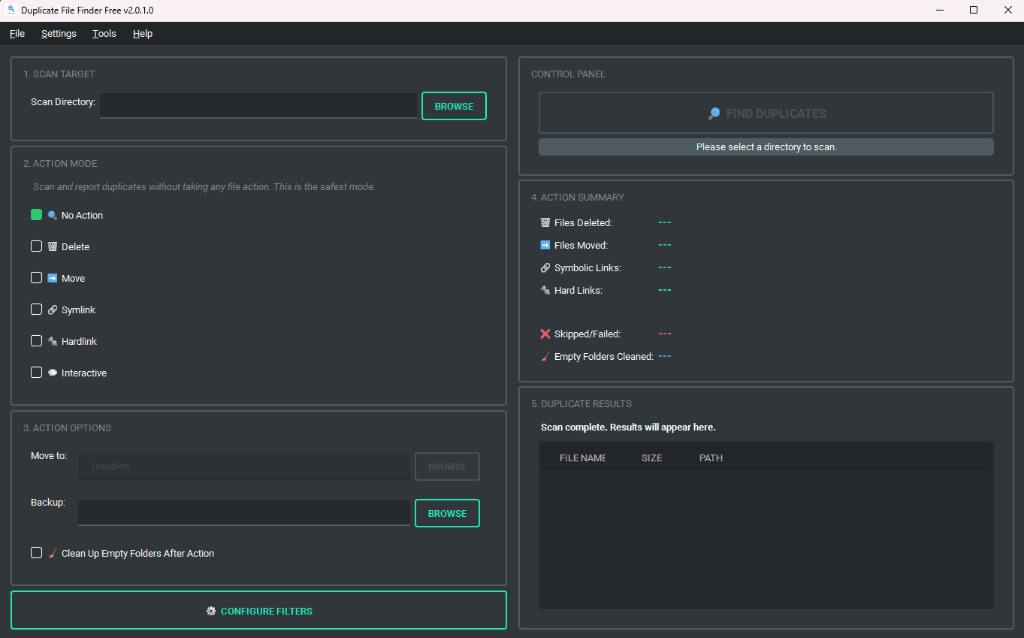
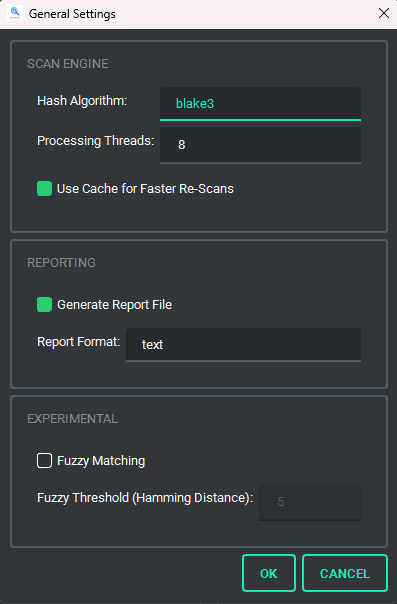
Fast multi-threaded hashing engines
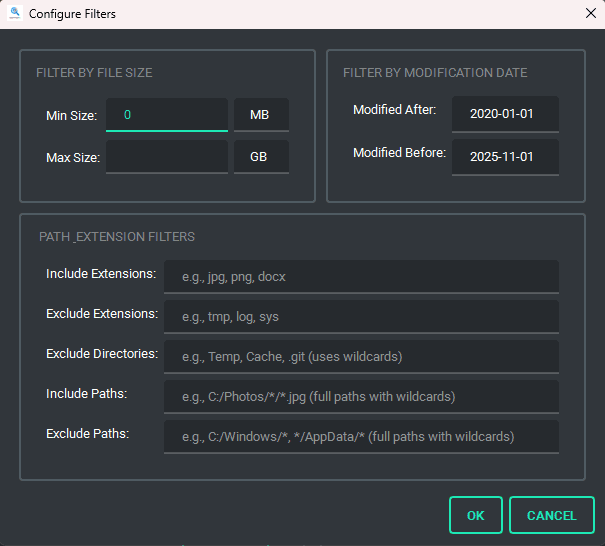
Granular path, extension, and date filters
"Simple to use, accurate and fast."
WYN | UNITED KINGDOM
"Had to recover a crashed PC... Seems to be working."
CLIFFORD | UNITED STATES
"Very fast and accurate application."
АЛЕКСАНДР | RUSSIA
Built for Power Users
Every feature designed around speed, safety, and complete control.
Multi-Algorithm Hashing
Detect duplicates using MD5, SHA256, or Blake3 with multi-threaded scanning for maximum speed.
Cache-Based Rescan
Acceleration for faster repeat scans — only re-hashes files that have changed.
Advanced Filters
Dedicated filter dialog to narrow by extension, path, size, or date. Scan any folder and its subfolders.
Safe Deletion Controls
Interactive review mode per duplicate group. Delete to Recycle Bin, Move, or Link — with safe cancellation.
Structured Tree View
Results in a structured tree view with right-click 'Open File Location'. Real-time summary of all actions.
100% Offline & Private
No data collection, no transmission. Runs entirely on your machine with full pause, resume, and stop control.